Handwriting Generator
Turn a block of text into an image that looks handwritten — pick a font, tune the parameters, lay it out, then export a zip of PNGs or a PDF.
- Live site: https://handwrite.sixiangjia.de
- Video walkthrough (Chinese): https://www.bilibili.com/video/BV1DM4y1W7fp/
- Telegram group (Chinese): https://t.me/+zFImOziSNullOTE1
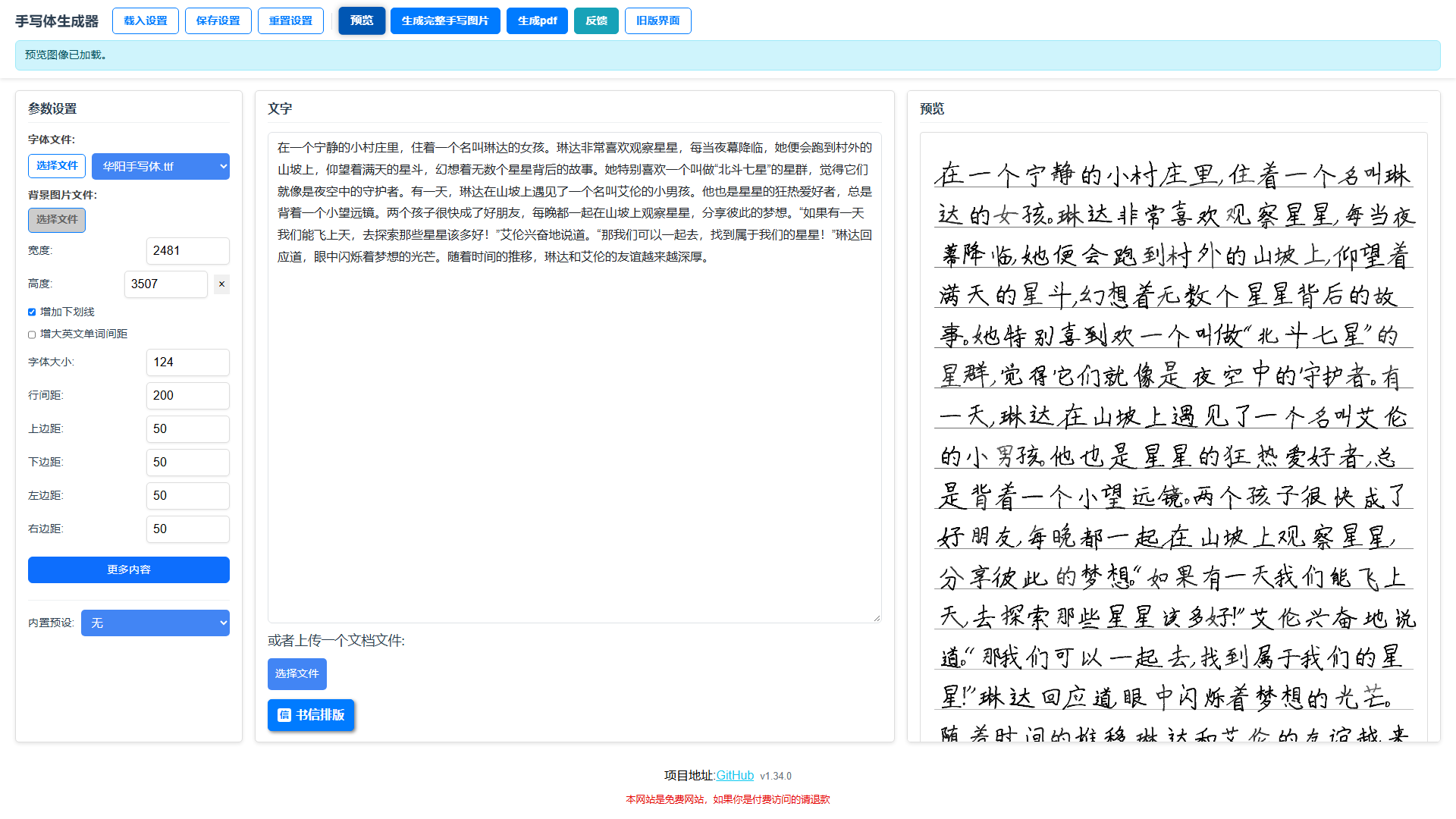
The app's own English is partial
The interface is translatable (Chinese and English), but some runtime dialogs and toasts are still Chinese-only. These docs describe the Chinese UI; labels are given in both languages where it matters.
What it does
-
Custom fonts
Upload your own
.ttf, or pick one of the fonts already installed on the server. -
Background image
Upload your own background. Without one, just give a width and height and the app generates ruled paper for you.
-
Tunable parameters
Font size, line spacing, all four margins, underlines — plus jitter for character spacing, size, line spacing, stroke offset, rotation, ink depth and strikethroughs.
-
Layout markers
---on its own line forces a page break; a leading>>>right-aligns a line (handy for signatures and dates). -
Chinese letter layout
One click tidies the text into a compact Chinese letter: two-space paragraph indent, no blank lines between paragraphs, signature and date pushed to the right.
-
Import documents
Upload
.docx/.pdf/.txt/.rtfand have the text extracted for you. -
Preview and export
Preview on the right, then export every page as PNGs (zipped) or as a single PDF.
-
Built-in preset
"Small with underlines (Yunyan)" applies a ready-tuned parameter set.
Start here
- First time? → Getting Started
- Chasing a particular look → Parameters
- Need page breaks and right alignment → Layout Markers
- Want to run your own instance → Docker Deployment
- Want to change the code → Local Development